Write a Markdown note with LaTeX equations
Archimedes lets you mix Markdown and LaTeX in the same note. Choose File → New and paste this short note on Newton’s second law to see how they fit together.
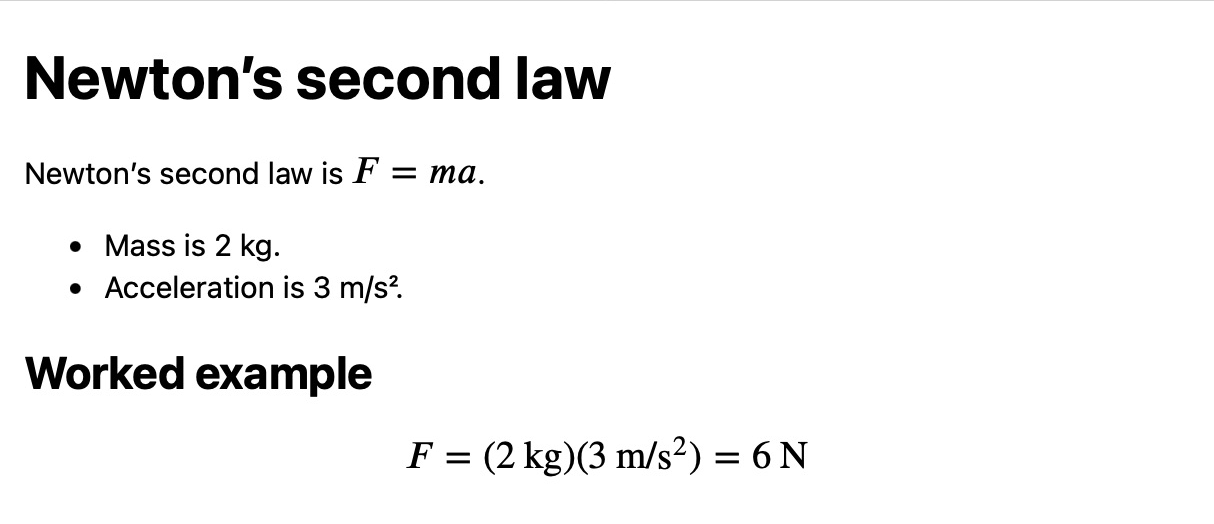
# Newton’s second law

Newton’s second law is $$ F = ma $$.

- Mass is 2 kg.
- Acceleration is 3 m/s².

## Worked example

$$ F = (2\,\mathrm{kg})(3\,\mathrm{m/s^2}) = 6\,\mathrm{N} $$
The dollar signs mark where each equation begins and ends. Put $$ F = ma $$ in a sentence to keep it inline. To set a calculation on its own line, leave a blank line above it as in the worked example.
Insert LaTeX symbols into an equation
As you type a command like \frac or \sqrt between the dollar signs, Archimedes suggests completions.
Choose Edit → Show All Symbols… to browse symbols, or Edit → Draw Symbol… to sketch one on a supported trackpad.
