Explain a LaTeX equation
You’ll need macOS 27 or later with Apple Intelligence turned on and ready to use.
- In Archimedes, choose File → New and paste the sample mean example below. You can also use a formula from an existing document.
- Select the formula in the editor. In the example, that’s everything from
\bar{x}throughx_i, between the two$$markers. - Control-click or right-click the selection and choose Explain Expression. The explanation opens next to the formula.
The sample mean is written as

$$ \bar{x} = \frac{1}{n}\sum_{i=1}^{n} x_i $$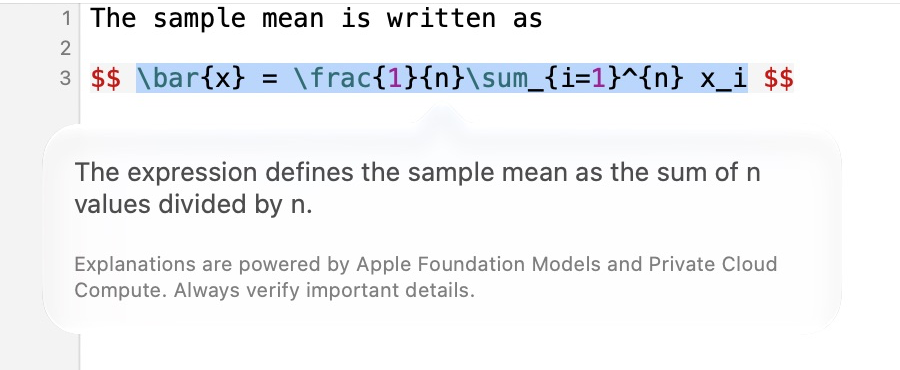
If a symbol has a specific meaning, write it out near the equation. Archimedes uses that context when explaining the formula.
